Lucky Egg Game Official & Community Links
Roblox game page, developer group, wiki hubs, and how to find Discord or Trello when they go live.
This Links Hub collects every trusted destination for Lucky Egg Game on Roblox—the play page, the developer community, and the internal wiki hubs you will use daily. Bookmark this page so you are never hunting URLs mid-session while a tsunami timer is ticking.
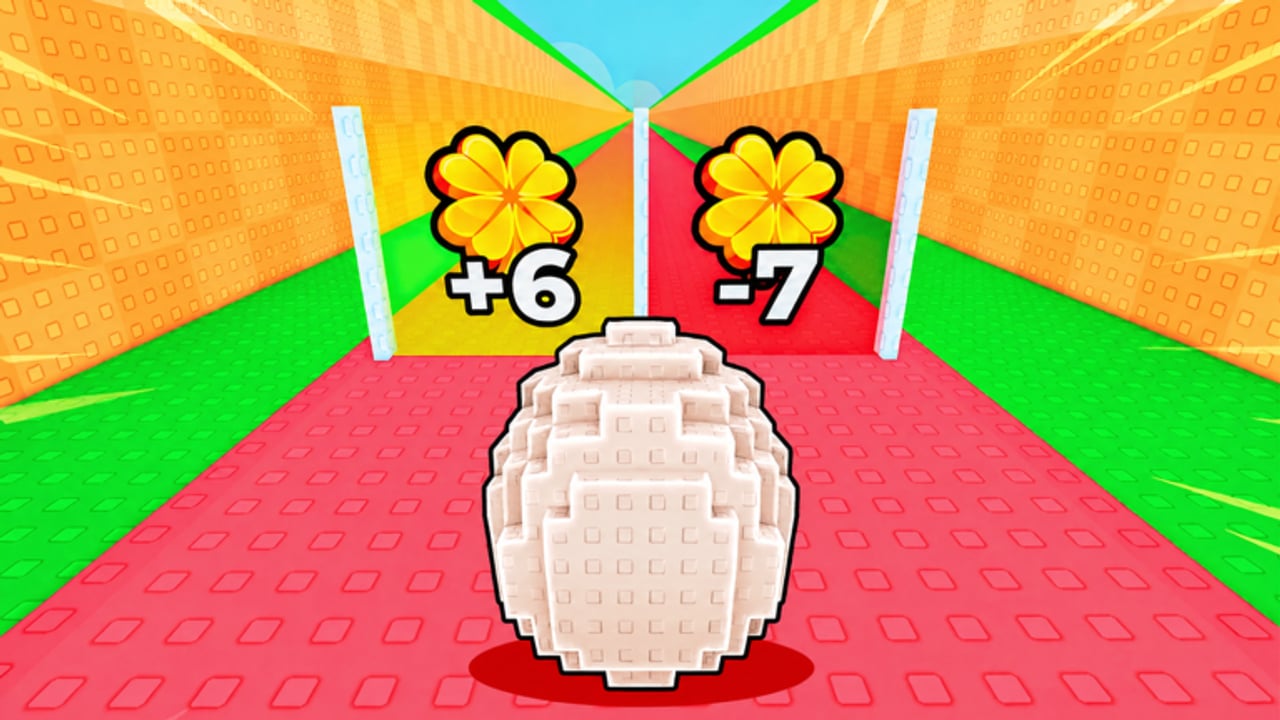
Lucky Egg Game is built by xFrozen x Cube. The loop is simple to say and deep to master: lift weights for HP, pass green luck doors for egg luck, survive tsunamis, upgrade eggs and weights, hatch animals for cash, and rebirth for permanent multipliers. Official channels announce Saturday patches first; this wiki mirrors those changes across updates, codes, and the pets hub.
Official Roblox destinations
- Play Lucky Egg Game — primary experience page (Place
108135740913885). Join here for the latest published version, server browser, and storefront details. - xFrozen x Cube community — developer group with a large member base. Group walls and shouts often carry patch teases, like goals, and event reminders before they hit third-party sites.
- Universe ID
10769870634— useful when you verify assets, thumbnails, or API tools against the correct experience. Prefer the public game link above for normal play.
Always confirm codes, rebirth rules, and new animals against the live game plus these official pages. Fan wikis help you plan; Roblox remains the source of truth for what is currently enabled.
Wiki hubs (internal)
Use these trailing-slash paths from any language version of the site—the generator localizes them for you:
- Home — overview, quick facts, and onboarding steps.
- Codes — active promo list and redemption notes.
- Guides and Getting Started — weights, doors, tsunamis, and first-hour path.
- Egg Upgrades, Cash Farming, and Tips & Mistakes — economy and habit pages.
- Pets & Animals, Hatching Pets, and Best pets to keep — hatch and roster strategy.
- Tier List — quick ranking snapshot after balance changes.
- Scripts — community script notes with safety reminders.
- Updates, Latest Update, and Saturday Checklist — weekly patch cadence.
- Links Hub — this page.
Cross-link these hubs in your own notes. A typical weekly pass is: updates → codes → best pets → tier list → back into a play session.
How to find Discord when it is published
Many xFrozen experiences eventually post a Discord invite on the Roblox game description, group shout, or in-experience billboard. Until an invite is public:
- Open the official game page and read the full description for invite keywords.
- Check the group wall and shout history for Discord links.
- Look for in-game UI buttons labeled Discord, Social, or Community after Saturday updates.
- When a link appears, we will add it here. Do not trust random invites from unverified player chats.
Discord is usually where codes drop first, downtime is explained, and pet showcases appear. Treat every invite as sensitive: never share passwords, and never download files from strangers claiming they are “Lucky Egg scripts.”
How to find Trello or roadmaps
Some Roblox studios publish a Trello board for patch roadmaps, known bugs, and upcoming eggs. Lucky Egg Game may or may not ship one publicly. Search pattern:
- Scan the Roblox description and group posts for “Trello,” “roadmap,” or “board.”
- Check pinned Discord channels once a server exists.
- Prefer https links that clearly name Lucky Egg Game or xFrozen x Cube.
- If a board goes live, this hub will list it beside the Roblox links.
Until then, rely on the in-game update log mindset and this wiki’s updates hub. Do not follow unofficial boards that mix other egg simulators with this title—names and pets get confused across similar luck-door games.
Social and media tips
- Prefer creator posts attached to the group or verified Roblox accounts over repost accounts.
- Thumbnails and gallery shots on the Roblox page show the colorful egg, luck, and tycoon tone used across this wiki’s imagery.
- YouTube guides can help with tsunami timing and rebirth pacing; this wiki only embeds verified IDs when we add them to a page. We never invent video IDs.
- For scripts, stay inside the scripts hub and avoid executors that ask for account credentials.
Why four-player servers matter for links
Lucky Egg Game runs 4-player servers. That keeps lobbies small, which is great for focused grinding and worse for “ask in chat” discovery. Use this Links Hub and the group page instead of hoping a stranger pastes the Discord invite mid-run. Small servers also make Saturday patch notes more important—everyone feels economy changes quickly.
Safety checklist
- Play only through the official Roblox URL above.
- Join the real xFrozen x Cube group, not lookalike communities.
- Redeem codes only in-game after reading codes.
- Ignore DMs selling pets, luck, or “free Robux” tied to this title.
- Report phishing invites that spoof Lucky Egg Game branding.
Related reading
New players should start with Getting Started, claim codes, then learn keepers on best pets. Veterans can skim updates each Saturday and adjust the tier list mindset afterward. Whenever official social links publish, return here first—this page is the stable index for outbound destinations and inbound wiki hubs alike.
Lucky Egg Game rewards players who combine official sources with practical guides: lift for HP, chase green luck doors, survive the wave, upgrade the egg, equip better animals, and rebirth when the multiplier pays. Keep this Links Hub pinned so every one of those steps still points at the correct Roblox page and the correct wiki chapter.
Frequently Asked Questions
Quick answers to the most common questions.
Where do I play Lucky Egg Game?
Use the official Roblox page: [Lucky Egg Game](https://www.roblox.com/games/108135740913885/Lucky-Egg-Game). Avoid third-party launchers or cloned experiences.
What is the developer group?
Join [xFrozen x Cube](https://www.roblox.com/communities/473699786) for shouts, community news, and patch teases tied to Lucky Egg Game and related experiences.
Is there an official Discord or Trello?
Check the Roblox description, group wall, and in-game social buttons after Saturday updates. When invites or boards are published, they will be listed on this Links Hub.
Is this wiki official?
No. This is an unofficial fan resource. Confirm live features on Roblox and the developer group before trusting third-party claims.
Which wiki page should I open after this hub?
New players: Getting Started. Returning players: updates, codes, then pets.