How to Redeem Lucky Egg Game Codes
Find the redeem UI, enter strings cleanly, and troubleshoot common errors without chasing fakes.
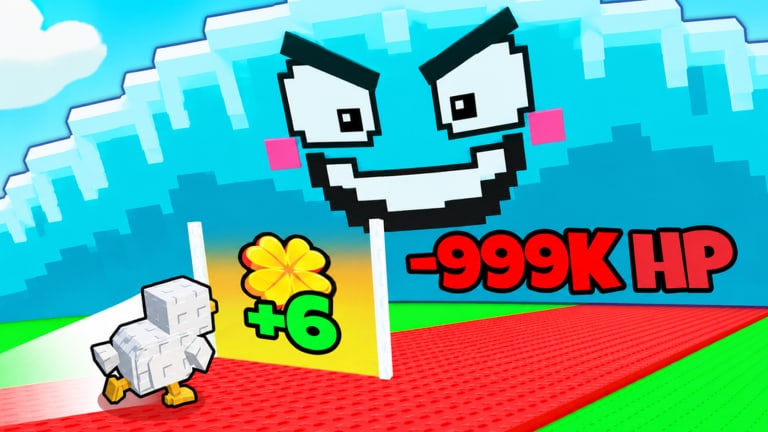
Redeeming a promo in Lucky Egg Game should take under a minute once a real code exists. This guide walks through the usual Roblox Simulation / Tycoon redeem flow for the experience by xFrozen x Cube, PlaceId 108135740913885, and explains how to verify a string before you spam attempts. Pair it with the Codes Hub for the live list, Latest update for Saturday UI changes, and Getting Started if you are still learning the lift → green door → tsunami loop.
As of November 2026, there are no independently verified codes for this exact title on this wiki. The steps below still matter: developers often add or relocate a Codes button during a weekend patch, and knowing the clean redeem path prevents typos, expired spam, and scam sites that ask for your password.
Before you redeem
- Confirm the source. Prefer the xFrozen x Cube group shout (473699786), an official Discord announcement, or text from a Saturday patch note. Ignore DMs, “code generator” sites, and lists that mix other egg games.
- Copy the string exactly. Spaces, capitalization, and underscores usually matter. Do not translate or “fix” spelling unless the official post shows variants.
- Play on the correct place. Open Lucky Egg Game itself—not a lookalike experience with a similar thumbnail.
- Have inventory room. Egg, pet, or item rewards fail silently or error if your inventory is full.
- Know your bottlenecks. Roblox Plus already gives +10% Cash. Plan whether a Cash gift should buy weights (HP) or egg / luck upgrades before you redeem into a panic spend. The Tier List Hub helps prioritize.
Step-by-step redeem path
Roblox egg and tycoon games usually expose codes in one of three places. After each Saturday update, check all three until you find the live control:
1. HUD or shop Codes button
- Join a server (server size 4—you may need a quick requeue if the lobby is full).
- Look for a Codes, Twitter, Gift, or Rewards button on the main HUD, often near Cash, shop, or settings.
- Open it, paste the code into the text field, and press Redeem / Claim.
- Wait for a success toast or reward popup before closing the menu.
2. Settings or hamburger menu
- Open the in-game settings gear or side menu.
- Find a Codes tab nested under Misc, Social, or Rewards.
- Paste and redeem once. Double-submit can mark a one-time code as already used.
3. NPC or billboard during events
- Weekend events sometimes place a redeem NPC near spawn or a billboard with a temporary UI prompt.
- Interact, paste the code, confirm, then check Cash / egg inventory immediately.
If the UI moved after a patch, note it on the Updates Hub workflow: compare spawn HUD screenshots before and after Saturday deploys so you are not hunting a removed button.
After a successful redeem
- Confirm Cash, Luck, eggs, or cosmetics actually appeared.
- Spend Cash with intent: raise HP via weights if tsunamis are ending runs; invest in Egg luck / upgrades if green doors are your bottleneck.
- Time Luck buffs with green-door routes rather than standing AFK in spawn.
- In four-player servers, call out big Luck windows so teammates do not block door lines—see Players for co-op etiquette.
- Screenshot the success popup if you need proof for a bug report to the creators.
Common errors and what they mean
| Message / symptom | Likely cause | What to try |
|---|---|---|
| Invalid / wrong code | Typo, wrong game, or fake list | Recopy from official source; confirm PlaceId |
| Expired | Timed promo ended | Check Codes Hub expired section after we verify dates |
| Already redeemed | One-time per account | Stop retrying; check inventory for prior grant |
| Nothing happens | Lag, full inventory, or UI desync | Rejoin, clear space, redeem once more |
| Button missing | Patch relocated UI | Re-read latest update; search settings menu |
Never enter your Roblox password into a “redeem website.” Official redemption happens inside the experience or through Roblox-owned flows—not third-party forms.
How to verify a code before trusting a list
Use this filter every time a social post claims “new Lucky Egg Game codes”:
- Does the post link the correct experience URL or PlaceId 108135740913885?
- Is the publisher the verified group, a linked Discord mod, or a known patch note—not a mirrored farm site?
- Does the reward claim sound specific (for example “5k Cash + Luck”) rather than “OP unlimited everything”?
- Can a second player in another server reproduce the redeem within a few minutes?
- Does the string look freshly typed in an official shout, or recycled from an old Race-for-Eggs style table?
Only after those checks should a code appear on the Codes Hub. This wiki will not publish speculative strings “just in case.”
Saturday update habits that save time
Lucky Egg Game updates every Saturday. Redeem UI, shop layout, and reward tables can shift with luck balancing, new weights, egg tiers, or tsunami tweaks. Build a weekend routine:
- Skim group shout and Discord before grinding
- Open latest update notes for expected systems touched
- Attempt any new code once in a fresh session
- Resume the core loop: lift for HP, green doors for luck, survive waves, upgrade eggs and weights
- If you use any automation, re-read Scripts Hub safety notes after UI moves—scripts break when buttons relocate
What not to do
- Do not buy “code bundles” with Robux from strangers
- Do not paste loadstrings that claim to unlock every code
- Do not share account cookies to “auto redeem”
- Do not assume Plus is required; Plus is a separate +10% Cash perk unless a promo explicitly says otherwise
- Do not skip weight / luck progression waiting for a mythical code drop—the game is playable and growing (~1.4M+ visits when researched) without promos
Related reading
- Codes Hub — Active / expired status and sourcing rules
- Updates Hub — Patch cadence and themes
- Latest Saturday update — What to expect after the newest drop
- Guides Hub — Broader how-tos beyond codes
- Official links — Game page and community destinations
When a verified code finally appears, redeem it with a clean copy-paste, confirm the grant, then fold the reward into HP or Luck upgrades instead of idle Cash. Bookmark this page so the steps stay one click away after every weekend patch.
Frequently Asked Questions
Quick answers to the most common questions.
Where is the codes button in Lucky Egg Game?
Check the main HUD near shop or Cash first, then settings or a Rewards tab, then event NPCs near spawn. Saturday updates can move the control—recheck after each weekly patch.
Why does my code say invalid?
Most often the string is from another egg game, mistyped, expired, or already used. Confirm PlaceId 108135740913885 and recopy from an official xFrozen x Cube channel.
Do I need Roblox Plus to redeem codes?
Usually no. Plus separately grants +10% Cash in Lucky Egg Game. Only redeem Plus-gated promos if the official post says so.
Can I redeem on mobile and PC?
Yes if the in-game Codes UI exists on that platform. Paste carefully on mobile; avoid third-party redeem websites on any device.
What should I buy after redeeming Cash?
If tsunamis kill you, prioritize weight upgrades for HP. If you survive but hatch poorly, push Egg luck and related upgrades, then time green-door runs.